

Starting an online store has never been easier than it is today. With the right platform, tools, and guidance, you can have your online business up and running in no time. One such platform that has transformed the e-commerce industry is Shopify. In this article, we will guide you on how to start your Shopify store, optimize it for success, and uncover the benefits of using a pre-built dropshipping store from Ecomprofithub.
Why Choose Shopify for Your Online Store?
Easy to Set Up and Use
Shopify is designed to be user-friendly, even for those without any coding skills. This makes it an ideal choice for someone looking to start an online store. With a clean, organized, and easy-to-navigate interface, you can set up and manage your store with ease.
Scalable Platform
One of the major benefits of Shopify is its scalability. Whether you are just starting out or running a multi-million dollar business, Shopify has the tools and features to support your needs. As your business grows, you can upgrade to more advanced plans and access additional features to help you manage your online store effectively.
Secure and Reliable
Security is a major concern for online store owners. Shopify provides a secure and reliable platform for your e-commerce needs. With built-in SSL certificates, your customer’s data will be encrypted and safe from unauthorized access. Moreover, Shopify has a solid reputation for its constant uptime, ensuring your store is always accessible to customers.
Steps to Start Your Shopify Store
Step 1: Sign up for a Shopify Account
Visit the Shopify website and sign up for an account by entering your email address, password, and desired store name. Shopify offers a 14-day free trial, giving you enough time to familiarize yourself with the platform and set up your store.
Step 2: Customize Your Store’s Design
Shopify offers numerous free and paid themes for your online store. Choose a theme that resonates with your brand and target audience and customize the design to match your brand identity. You can easily change the fonts, colors, and other design elements within the theme to create a unique look for your store.
Step 3: Add Products to Your Store
Once your store’s design is ready, it’s time to add products. With Shopify, you can add products manually, import them from a CSV file, or use a third-party app to sync products from your suppliers. Make sure to include high-quality images, detailed descriptions, and competitive pricing for your products.
Utilizing Pre-built Dropshipping Stores for Your Shopify Store
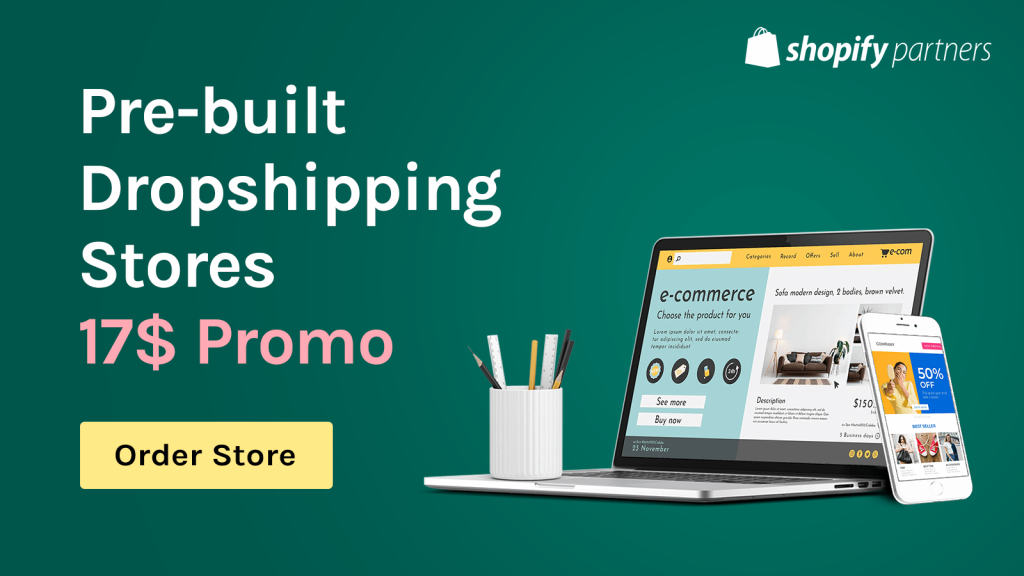
Starting a Shopify store can be time-consuming and challenging, especially when you have no prior experience. This is where Ecomprofithub comes into play. With their pre-built dropshipping stores, you get a ready-to-use Shopify store that’s optimized for success.
Save Time and Effort
Creating a Shopify store from scratch can take hours, if not days, of work. With a pre-built store, you can have your online store up and running in a fraction of the time. This allows you to focus on other important aspects of your business, such as marketing and customer service.
Access to Professionally Designed Stores
A visually appealing online store is crucial for attracting and retaining customers. Ecomprofithub’s pre-built dropshipping stores are designed by professionals, ensuring that your store looks captivating and user-friendly. With a stunning store design, you can impress your visitors and increase the chances of them becoming customers.
SEO-Optimized Store
A search engine optimized (SEO) store is essential for driving organic traffic to your online store. Ecomprofithub’s pre-built stores are SEO-optimized, ensuring that your store ranks higher in search engine results pages (SERPs) and attracts potential customers. Higher visibility in search results means more targeted traffic, leading to increased sales and revenue.
Smooth and Efficient Order Processing
When you choose a pre-built store from Ecomprofithub, you get an efficient order processing system in place. These stores are built with integrated solutions for managing orders, processing payments, and handling shipping and returns. Having a streamlined order management system allows you to focus on growing your business without worrying about the logistical details.
Essential Apps and Tools for Your Shopify Store
Once your pre-built Shopify store is up and running, you’ll want to consider adding some essential apps and tools to enhance its functionality and improve the overall customer experience. Here are some must-have Shopify apps and tools to consider:
Email Marketing App: Klaviyo
Klaviyo is an email marketing app designed specifically for e-commerce stores. It allows you to send targeted email campaigns, automate follow-up emails, and create personalized email content. Integrating Klaviyo with your Shopify store can help increase customer engagement, boost sales, and improve customer retention.
Social Media Marketing Tool: Kit
Kit is a Shopify app that acts as your virtual marketing assistant. It helps you manage your store’s social media presence, run ads, and send personalized email campaigns. Kit can also provide you with valuable insights and analytics to help you make informed decisions about your marketing strategy.
Inventory Management: Stocky
Stocky is a powerful inventory management app that syncs with Shopify and helps you manage your products, suppliers, and purchase orders. With Stocky, you can automate inventory updates, set reorder points, and analyze sales trends to make better purchasing decisions.
Tips for Driving Traffic to Your Shopify Store
Once your Shopify store is set up – whether from scratch or using a pre-built store from Ecomprofithub – it’s important to focus on driving targeted traffic to your store. Here are some effective ways to attract potential customers:
Utilize SEO Strategies
Optimizing your Shopify store for search engines is essential for driving organic traffic. Make sure to conduct thorough keyword research, optimize your meta tags and headings, and create informative, shareable content. Also, ensure that your online store is mobile-friendly and has a fast loading speed to improve your search engine rankings.
Leverage Social Media Platforms
Social media platforms like Facebook, Instagram, and Pinterest can be effective channels to reach your target audience. Share relevant content, run targeted ad campaigns, and interact with your followers to boost your brand’s visibility and attract potential customers to your store.
Implement Content Marketing
Content marketing helps to establish your store as an authoritative source of information in your niche and attracts potential customers. Create valuable, informative, and engaging content such as blog posts, videos, and infographics to share on your store and social media accounts, which can help drive traffic to your Shopify store.
Utilize Influencer Marketing
Collaborating with influencers in your niche can help increase brand awareness and drive potential customers to your online store. Identify influencers in your niche, reach out to them, and offer them a collaboration to promote your products, such as offering free samples or conducting a giveaway campaign.
Retain Customers and Boost Sales with Effective Strategies
Attracting visitors to your Shopify store is just the first step. Retaining customers and boosting sales is equally as important. Here are some strategies to help you accomplish these goals:
Offer Exceptional Customer Service
Providing excellent customer service can set your Shopify store apart from the competition and encourage customer loyalty. Respond promptly to customer inquiries, handle complaints efficiently, and solicit feedback to improve the overall customer experience.
Implement a Loyalty Program
A loyalty program can motivate customers to make repeat purchases and encourage long-term patronage. Offer discounts, coupons, or exclusive access to new products as rewards for loyal customers. This can help increase the lifetime value of your customers and incentivize them to continue shopping with your store.
Utilize Email Marketing for Retention
Email marketing can be an effective tool for retaining customers and driving sales. Send personalized emails to your customers, such as abandoned cart reminders, special offers, and new product announcements, to encourage them to return to your store and make a purchase.
Conclusion
Starting a Shopify store can be a rewarding and lucrative endeavor. By choosing the right platform, utilizing a pre-built dropshipping store from Ecomprofithub, and implementing the essential tools, apps, and strategies discussed in this guide, you can create a successful online business with ease. Don’t wait any longer – take advantage of the numerous benefits that Shopify and Ecomprofithub have to offer and start your journey to online success today.
FAQ
How much does it cost to start a Shopify store?
What are the steps involved in starting a Shopify store?
Sign Up for Shopify: You’ll need to create an account by providing some basic information.
Set Up Your Online Store: Once your account is set up, you can select a theme and customize your online storefront.
Choose Your Domain Name: You can buy a new domain through Shopify or connect an existing one.
Add Your Products: You can upload your product information and images.
Setup Payment Methods: Choose the payment gateways you want to use and provide the necessary details.
Configure Shipping Options: Decide how you want to handle shipping and set up your chosen shipping method.
Test Your Checkout Process: Before going live, make sure your checkout process works smoothly.
Launch Your Store: Once everything is set, you can make your store live and start selling.
What are some of the best practices for running a Shopify store?
Use High-Quality Images: This can enhance the overall shopping experience and increase conversion rates.
Optimize for SEO: Make sure your product descriptions, titles, and content are optimized for search engines to increase your store’s visibility.
Mobile Optimization: Ensure your store is mobile-friendly, as many customers shop on their smartphones.
Provide Excellent Customer Service: This includes timely responses to customer queries and resolving issues promptly.
Leverage Analytics: Use Shopify’s analytics or integrate with tools like Google Analytics to understand your customers better and make data-driven decisions.
Use Social Proof: Show reviews and testimonials to build trust with potential customers.
How do I promote my Shopify store?
SEO: Optimize your site for search engines to help increase organic traffic.
Social Media: Use platforms like Instagram, Facebook, and Pinterest to reach your target audience and showcase your products.
Email Marketing: Collect email addresses from your customers and visitors to send newsletters, product updates, and promotions.
Influencer Marketing: Collaborate with influencers in your industry to promote your products to their followers.
Paid Advertising: Leverage PPC ads on Google, Facebook, and other platforms to drive traffic to your store.
Content Marketing: Create valuable content related to your products to attract and engage your target audience.